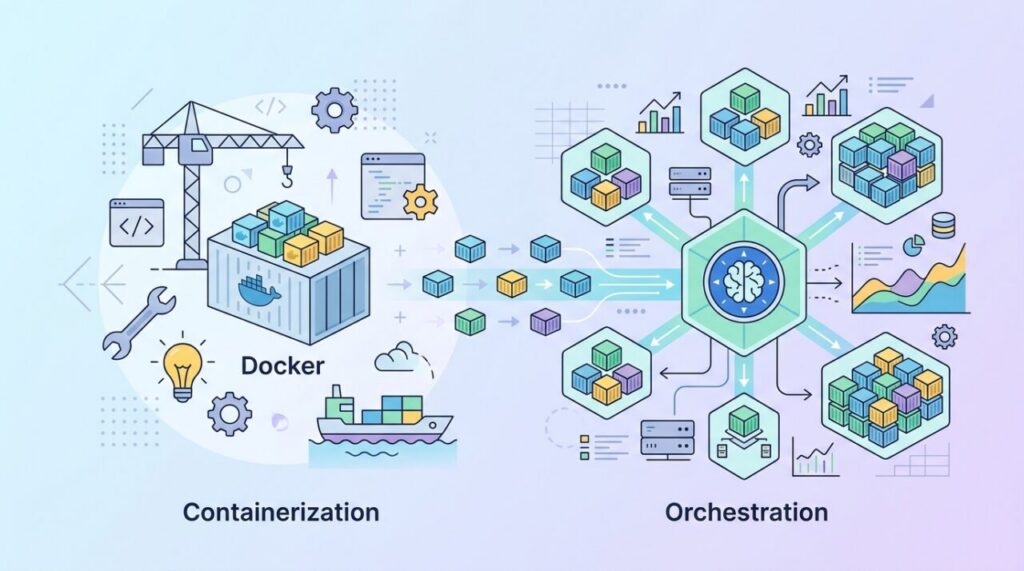

Two words dominate almost every conversation about modern deployment: Docker and Kubernetes. Newcomers often assume they’re competitors — pick one or the other. That’s a misunderstanding. The truth behind Docker vs Kubernetes is that they’re not rivals at all; they solve different problems and are frequently used together. Clearing this up makes the whole cloud-native landscape suddenly make sense.
What Docker does
Docker is a tool for containerization — packaging an application together with everything it needs to run (code, runtime, libraries, dependencies) into a single, portable unit called a container. The famous benefit is that it kills the “works on my machine” problem: because the container carries its own environment, it runs the same way on your laptop, a teammate’s machine, and a production server.
Think of a container as a lightweight, isolated box for one application. It’s far more efficient than a full virtual machine because containers share the host’s operating system kernel instead of each booting their own OS. Docker is the tool that builds these boxes and runs them. That’s its job — and it does it brilliantly.
What Kubernetes does
Now imagine you’re not running one container, but hundreds of them across dozens of servers. Some crash and need restarting. Traffic spikes and you need more copies. You want zero-downtime updates, load balancing, and automatic recovery. Managing all that by hand would be impossible. This is the problem Kubernetes solves.
Kubernetes is a container orchestrator. It manages containers at scale across a cluster of machines. You tell it your desired state — “I want five copies of this app running at all times” — and Kubernetes makes it happen and keeps it that way. If a container dies, it starts a new one. If a server fails, it reschedules the work elsewhere. If demand rises, it can scale you up.
The analogy that makes it click
Here’s the cleanest way to think about Docker vs Kubernetes: Docker builds and runs the individual containers — it’s like a shipping company that packs goods into standardized shipping containers. Kubernetes is the port authority that coordinates thousands of those containers: deciding which ship they go on, rerouting them when something goes wrong, and scaling operations up and down. One creates the containers; the other manages a fleet of them. They operate at different levels, which is exactly why they fit together.
What Kubernetes actually manages for you
Once you hand your containers to Kubernetes, it takes care of the hard operational work:
- Self-healing — automatically restarting or replacing failed containers.
- Scaling — adding or removing copies based on load.
- Load balancing — spreading traffic across your running containers.
- Rolling updates — deploying new versions gradually with no downtime, and rolling back if something breaks.
- Service discovery — letting containers find and talk to each other reliably.
The honest caveat: Kubernetes is complex
Kubernetes is enormously powerful, and enormously complicated. It has a steep learning curve and real operational overhead. That leads to the most important practical lesson: most projects don’t need it — at least not at first. A small app or side project runs perfectly well on Docker alone, or on a simple managed platform. Reaching for Kubernetes on day one is a classic case of over-engineering that buries a small team in complexity they don’t need yet.
So how do you choose?
You almost always start with Docker regardless — containerizing your app is useful on its own. The real question is whether you need orchestration. If you’re running a handful of containers on one or two servers, a lighter tool (like Docker Compose) is plenty. Consider Kubernetes when you’re genuinely operating many containers across many machines and need automatic scaling, self-healing, and zero-downtime deploys. Grow into it when the pain it solves is pain you actually feel.
The middle ground: Docker Compose
There’s a tool that deserves more attention in this conversation, because it’s what most projects should actually use: Docker Compose. Compose lets you define a multi-container application — say, a web app, a database, and a cache — in one YAML file, and start the whole stack with a single command:
services:
  web:
    build: .
    ports:
      - "3000:3000"
  db:
    image: postgres:16
    volumes:
      - db_data:/var/lib/postgresql/data
volumes:
  db_data:
That’s a complete two-service deployment, readable at a glance. Compose gives you the coordination most small apps need — shared networks, startup ordering, persistent volumes — with none of Kubernetes’ conceptual weight. A single decent server running Compose can comfortably serve applications with substantial real traffic. Plenty of profitable products run exactly this way for years.
A realistic growth path
Instead of asking “Docker or Kubernetes?”, think in stages that match your actual needs:
- Stage 1 — one container. Dockerize your app so it runs identically everywhere. This pays off immediately, even for a hobby project.
- Stage 2 — a few services. Add Docker Compose when you have an app plus a database plus a worker. Still one server, still simple.
- Stage 3 — high availability pressure. When downtime starts costing real money, or one server genuinely can’t hold your load, consider a managed Kubernetes service (EKS, GKE, AKS) — where the cloud provider runs the control plane so you don’t have to.
- Stage 4 — full orchestration. Multiple teams, dozens of services, autoscaling needs. Now Kubernetes’ complexity buys you something real.
The mistake isn’t using Kubernetes — it’s jumping to stage 4 while your problems are stage 2 sized. Each stage is a fine place to stay for years if it serves you.
Frequently asked questions
Do I need to learn Docker before Kubernetes? Yes, unambiguously. Kubernetes orchestrates containers, so container fundamentals — images, registries, volumes, networking — are prerequisites. Trying to learn Kubernetes without Docker is like studying air traffic control before knowing what an airplane is.
Can Kubernetes run without Docker? Yes — and this confuses people who half-remember headlines about Kubernetes “dropping Docker.” Kubernetes uses any container runtime that implements its runtime interface (like containerd — which, fittingly, came out of Docker). The images you build with Docker run on Kubernetes exactly as before; only internal plumbing changed.
Is Docker Swarm still an option? Swarm — Docker’s own built-in orchestrator — still exists and is dramatically simpler than Kubernetes. But the industry consolidated hard around Kubernetes, so Swarm’s ecosystem and future are limited. For learning orchestration concepts on a weekend it’s pleasant; for a long-term bet, Kubernetes (or staying happily on Compose) is the safer road.
The takeaway
Docker vs Kubernetes is the wrong framing — it’s Docker and Kubernetes. Docker packages your application into portable containers; Kubernetes orchestrates those containers at scale. Start with Docker because containerization helps almost everyone. Add Kubernetes only when you’re running enough containers that managing them by hand becomes the bottleneck. Understand that they live at different layers, and the entire cloud-native world stops looking like alphabet soup and starts looking like a sensible toolkit.